
New Player Basics
Basic Character Growth Guide
In Genesis War, building strong characters is the foundation of every winning strategy.
To help Guardians grow a more powerful team, this guide introduces the core Character Growth systems.
Please refer to the information below to develop your characters efficiently and gain the upper hand in battle.
Character Level Up

Characters grow stronger and gain stats by leveling up. Characters earn EXP by participating in and winning battles. EXP Books can also be used to level up characters who did not participate in combat. However, a character’s Max Level cannot exceed your Authority Level.
Character Awakening
Character Awakening allows you to strengthen a character beyond level growth. Awakening requires the character’s Memory Fragments, which can be obtained through Region Investigation content. After Awakening, the character’s stats increase and their Unique Skill level is raised.
1.Tap [Character] at the bottom of the Lobby.

2.Select the character you want to awaken.
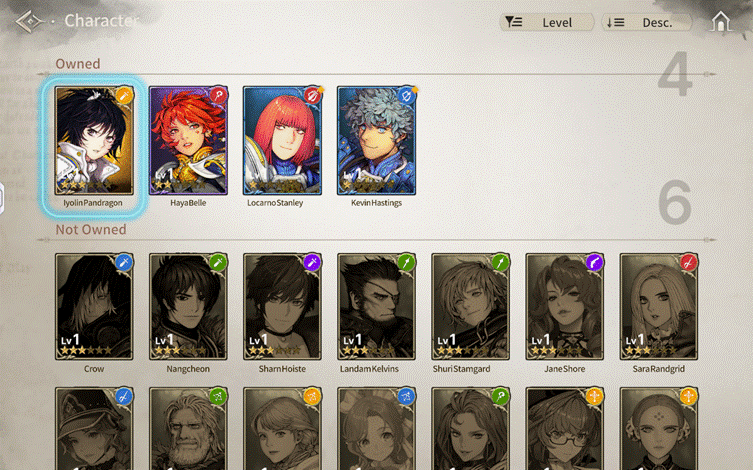
3.After selecting the character, tap [Growth] menu.
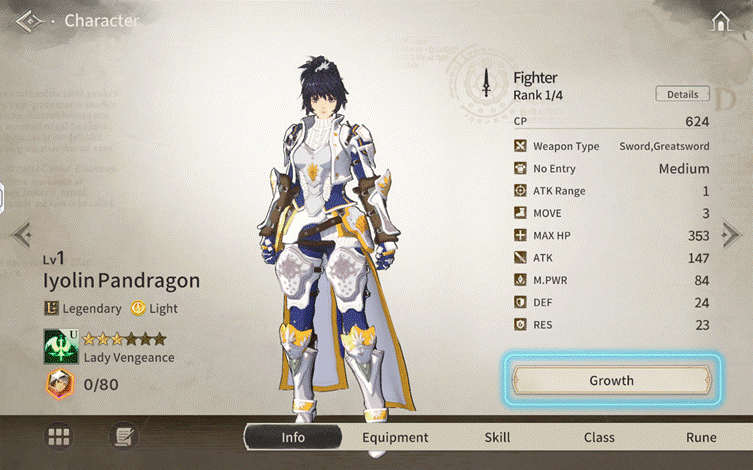
4.Open the [Awakening] tab.
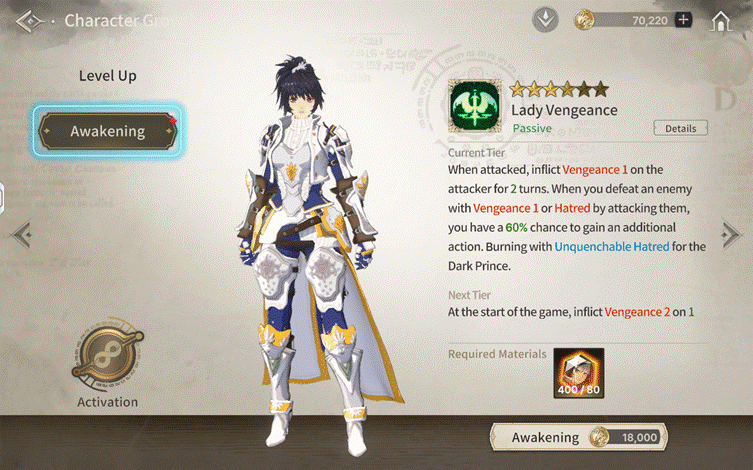
5.Check the required materials, then proceed with Awakening.

6.Once complete, confirm the increased stats and Unique Skill level.

Class
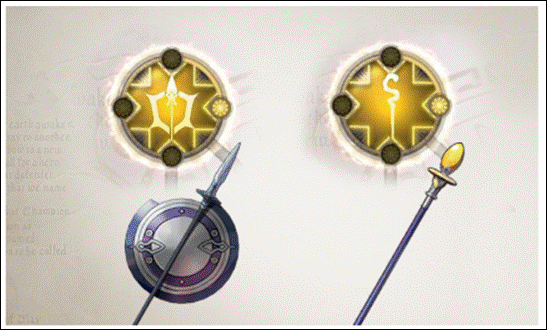
A Class defines a character’s combat role and determines which weapons and armor they can equip.
Class Rank Up
Class Rank Up advances a character within their current class tier, increasing stats and unlocking additional skills. Required resources can be obtained by clearing Mission Stages.
1.Tap [Character] at the bottom of the Lobby.

2.Select the character you want to rank up.
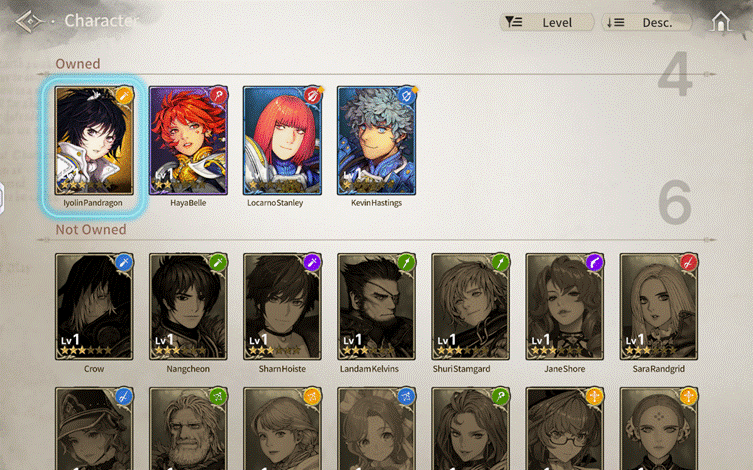
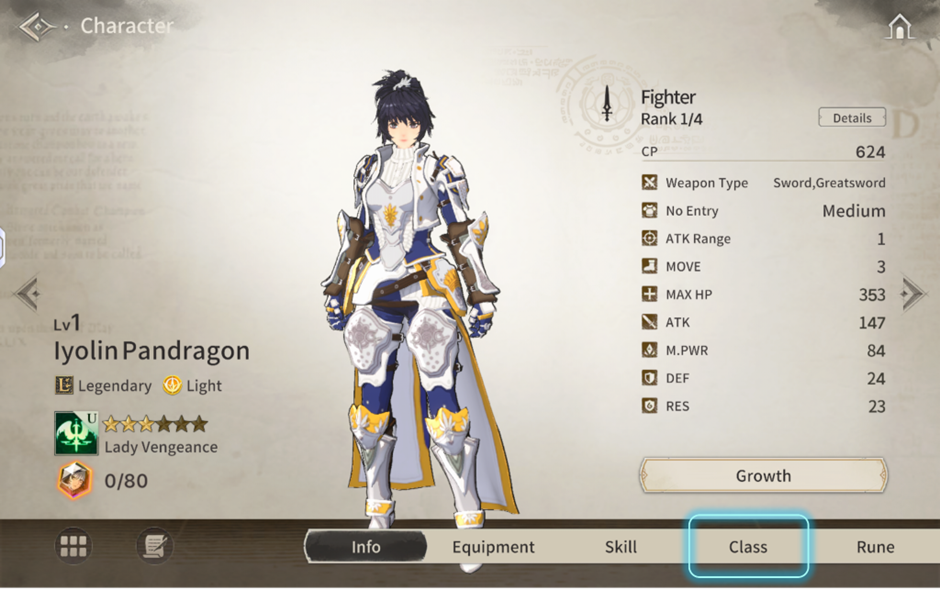
3.After selecting the character, open the [Class] tab.
4.Select the class, check the required resources, then proceed with Rank Up.
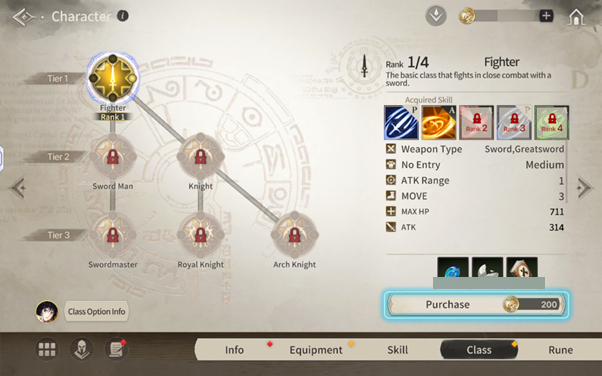
Each class has 3 tiers, and each tier can be ranked up to Rank 4. After reaching the maximum rank, the class can be advanced to a connected class in the next tier. Even if two characters start with the same Tier 1 class, they may branch into different classes at Tier 2 and Tier 3. All stats gained through class growth are cumulative and permanently applied.
5.Once complete, confirm the increased stats and newly unlocked skills.
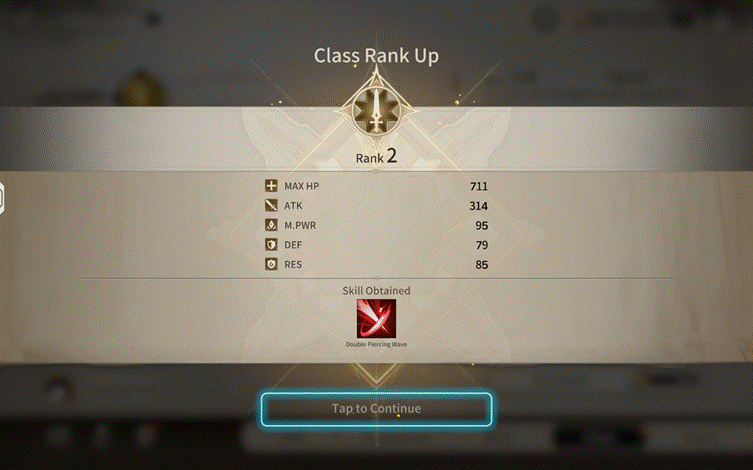
TIP. You can check the total accumulated stats gained from class growth in [Class Option Info].
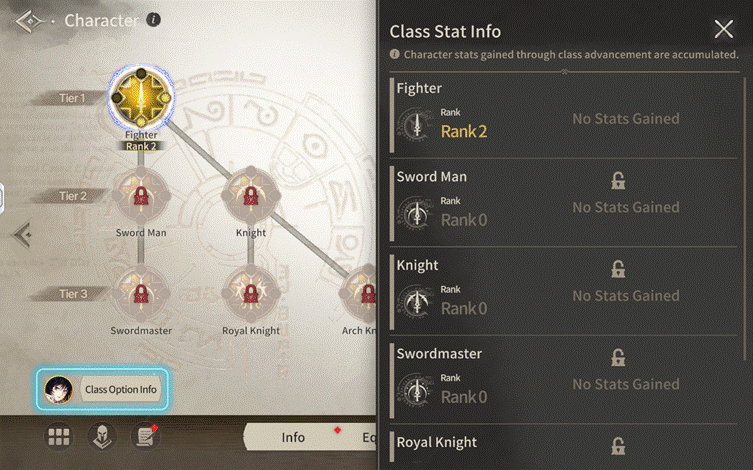
Class Advancement
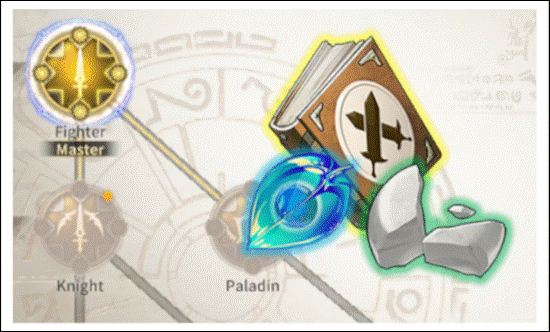
Class Advancement strengthens a character’s class further by unlocking additional skills and greatly increasing stats. Required materials can be obtained by clearing Hard difficulty Mission Stages.
Class Change
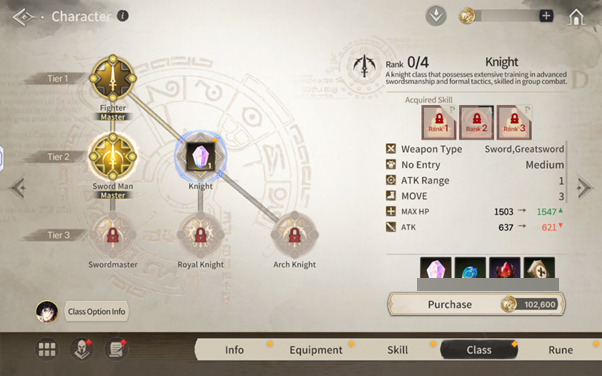
Class Change allows a character to switch to a different class, which may change available skills and equippable gear. After the first Class Advancement, switching classes within the same tier requires Class Change Materials (Tier 2 and above). The required amount is
- Tier 2: 1 material
- Tier 3: 2 materials
Class Change Material: Transparent Opal